Hidden
Gems ๐Ÿ’Ž

An innovative community-driven discovery experience for travelers seeking the authentic and the extraordinary.

โœจ Community Choice
โญ 4.9 Rating
๐Ÿ“ Local Gems
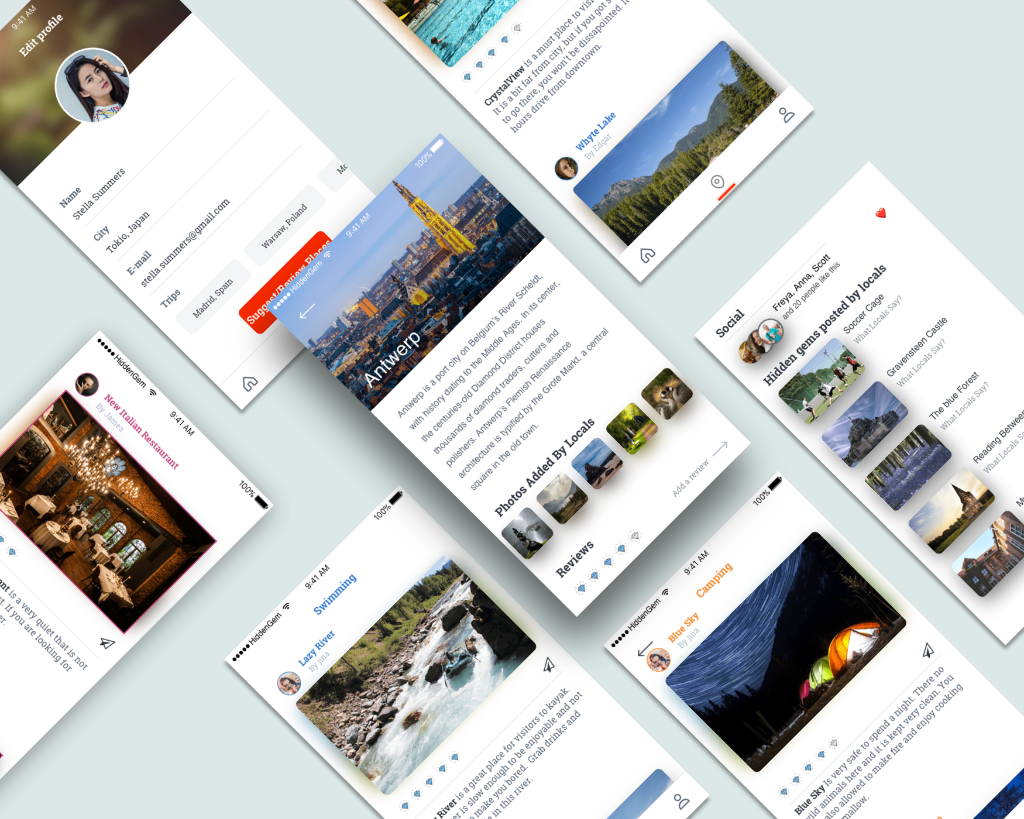
HiddenGems App Showcase
My Role UX/UI Design & Interaction
Duration 4 months
Tools Sketch, Principle, Illustrator

Overview

As someone who loves traveling and discovering new places, this project is close to my heart. We set out to create a travel app that addresses the gaps in existing platforms and offers something truly unique โ€” a community-driven discovery experience.

"HiddenGems" is an innovative app designed for locals and visitors to discover, review, and share lesser-known places. Users can post reviews and upload pictures, helping others find unique locations that are often missed by mainstream travel guides.

Discover! Explore Share!

OBJECTIVE

Project Objective & Impact

  • Uncover and share lesser-known locations that provide unique experiences.
  • Create a seamless and engaging user experience that leverages local knowledge.
  • Ensure the app is user-friendly, with intuitive navigation and robust categorization.
  • Encourage local participation by offering rewards and incentives.

RESEARCH

Research & Problem Statement

Problem Statement: Existing travel apps focus on well-known spots, limiting unique experiences. Users desire a platform that curates under-the-radar destinations based on local insights.


Research Goals:

  • User Goal: Seamless, intuitive experience for discovering unique travel destinations.
  • Business Goal: Position HiddenGems as the go-to platform for curated travel experiences.

Competitive Research: Analyzing Airbnb Experiences, TripAdvisor, and Google Travel revealed opportunities in curated content, personalization, and community engagement to differentiate HiddenGems.

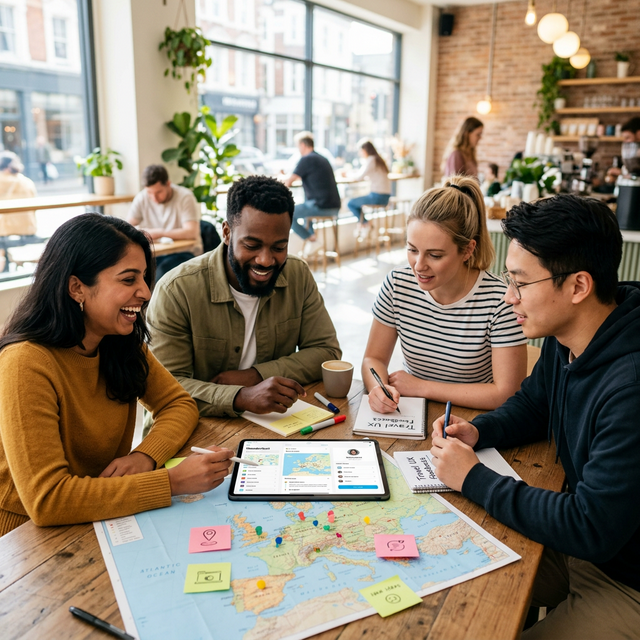
UX Research Session

AUDIENCE

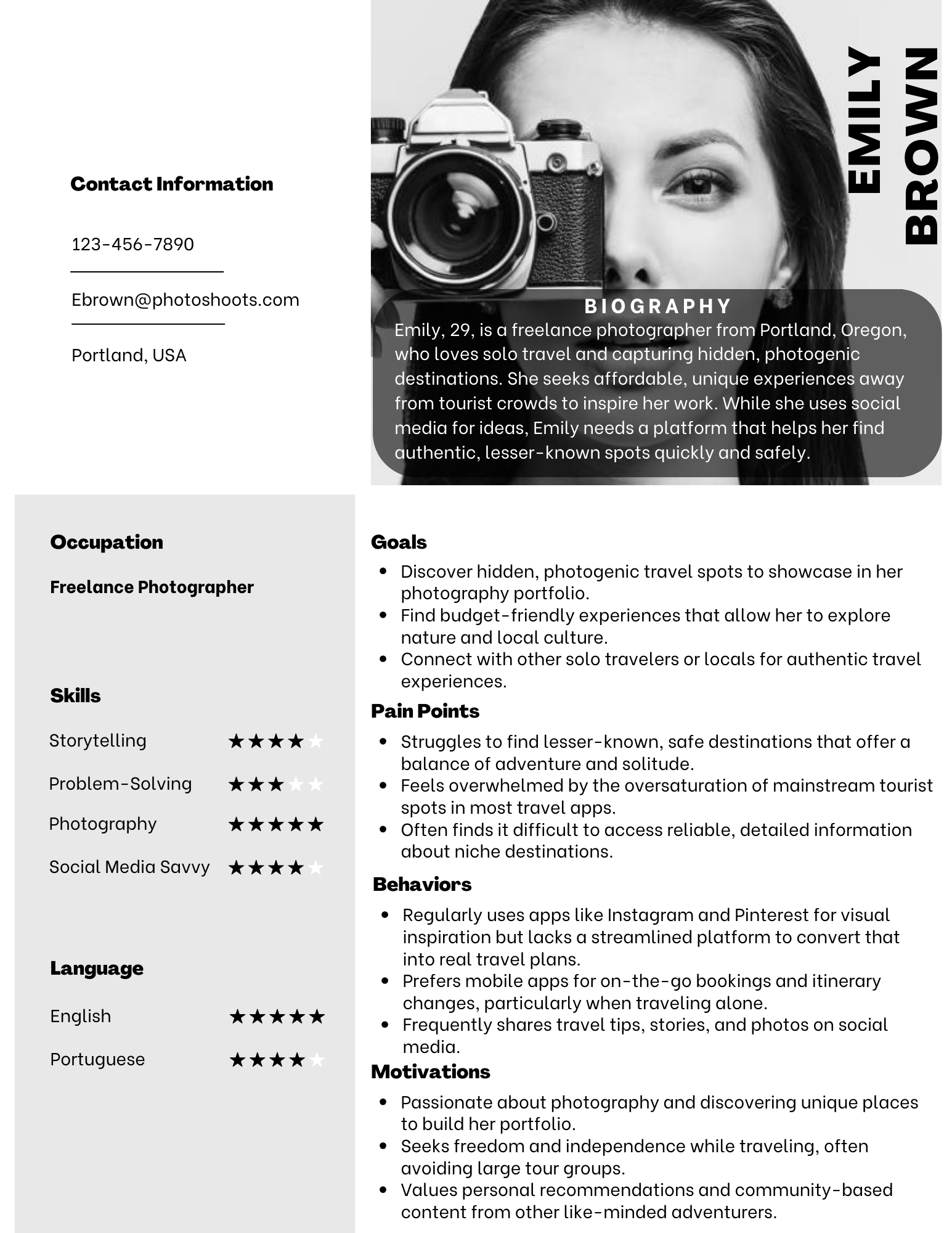
User Personas & Interviews

Personas: Scenarios were created for primary user groups (the Solo Adventurer and the Family Planner), mapping out their journey from app discovery to booking a unique experience.

Interviews: In total, 5 participants were interviewed. We validated assumptions such as travelers seeking off-the-beaten-path destinations but struggling to find them, and the high reliance on user reviews and photos.

View Interview Guide
Persona 1 Persona 2

JOURNEY

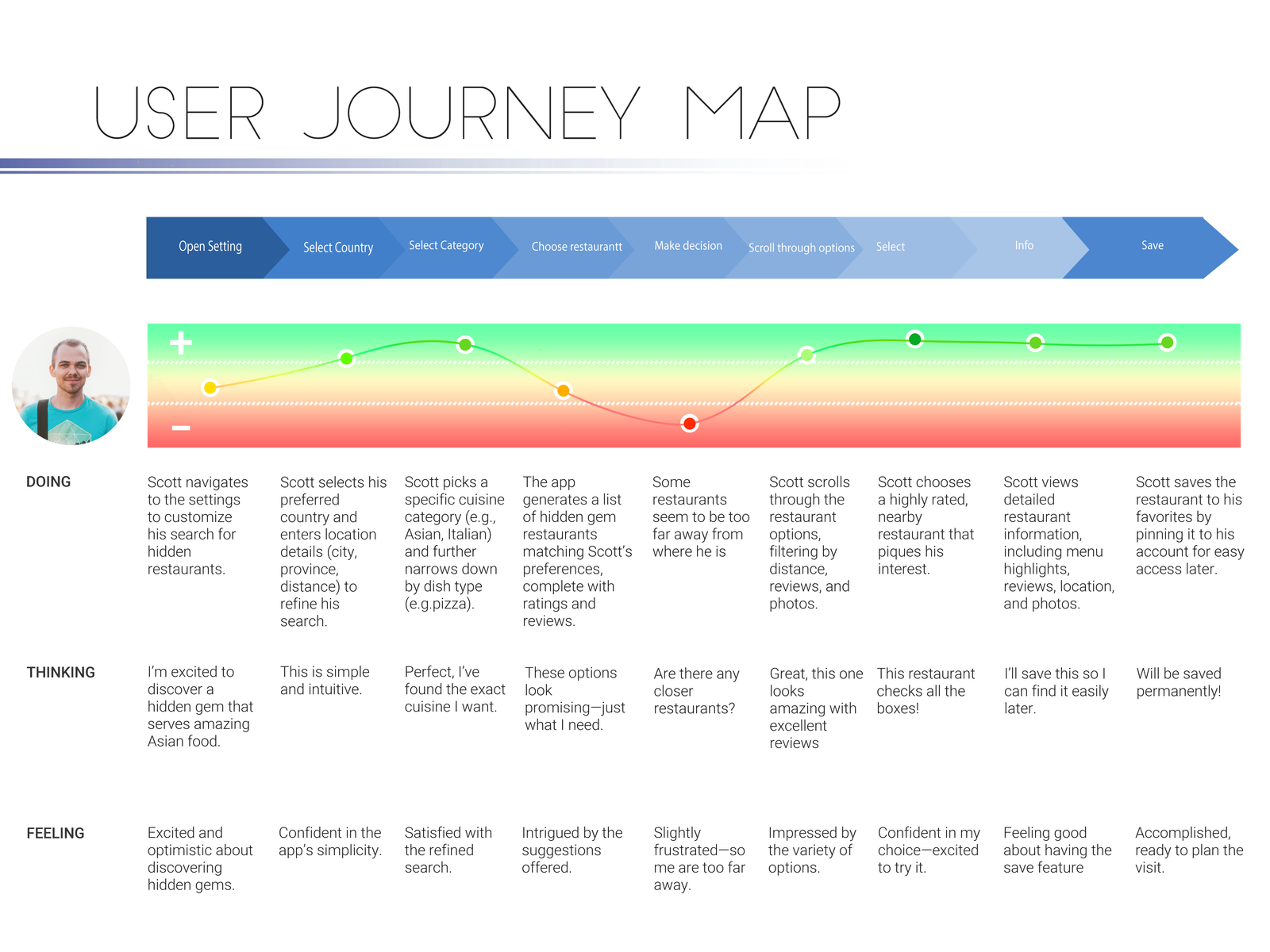
Journey Map

Mapping the user journey allowed me to pinpoint critical touchpoints where users interact with the app. This process highlighted areas for improvement in navigation and content presentation.

User Journey Map

CHALLENGES

Challenges & Solutions

โš ๏ธ Project Challenges

  • Cross-functional collaboration: Coordinated with developers to integrate geolocation features and maintain a clear, user-friendly UI.
  • Performance vs. visuals: Balanced high-quality images and content with app efficiency through optimization and iterative feedback.
  • Project management: Navigated tight timelines, multiple concurrent projects, and diverse team schedules.
  • Resource constraints: Worked creatively within development limitations to deliver innovative solutions.

โœ… Overcoming Challenges

  • Applied Agile (Scrum) to organize work into manageable sprints, improving productivity and meeting deadlines.
  • Clearly assigned roles and responsibilities across the team.
  • Leveraged Zoom and remote collaboration to minimize unnecessary meetings.
  • Adjusted workloads in real-time based on project needs and team capacity.

CAPABILITIES

โœจ Features & Functions โ€“ HiddenGems

๐Ÿ‘ค

User Access

Log in as a visitor or local.

โœ๏ธ

Content Creation

Post, edit, recommend, and rate hidden gems.

๐Ÿ”

Discovery

Automatic recognition of hidden gems and filtering by category.

๐ŸŽ›๏ธ

Refined Search

Advanced filtering options to find unique locations.

๐ŸŽฎ

Gamification

Earn points and coupons for sharing unique spots.

๐Ÿ’Ž

Curated Listings

Separates overrated/popular places from lesser-known gems for easy discovery.

DESIGN

๐ŸŽจ Design Process & Flow

๐Ÿค Collaborative Development Process

  • Brainstormed concepts through ideation sessions with stakeholders and team members.
  • Maintained continuous communication with developers to balance innovation with technical feasibility.
  • Collaborated on interactive features, including restaurant saving and location-based discovery.

๐Ÿ“ Design Principles

  • Consistency: Unified visual language across the app.
  • Accessibility: Features like voice commands and high-contrast text for all users.
  • Visual Hierarchy: Clear structure to guide users seamlessly.

โœจ Key UI Elements

  • Typography & Colors: Readable fonts and gem-inspired color palette.
  • Interactive Components: Intuitive buttons and feedback mechanisms for engagement.

JOURNEY

๐Ÿ”„ UML / Flowchart โ€“ HiddenGems

  • Visual representation of the core user journey: login/signup โ†’ select city/country โ†’ explore curated hidden spots.
  • Maps key interactions and decision points, including account creation, location filtering, and experience selection.
  • Guides design and development, ensuring a smooth, intuitive user flow.
UML Flowchart

SKETCHES

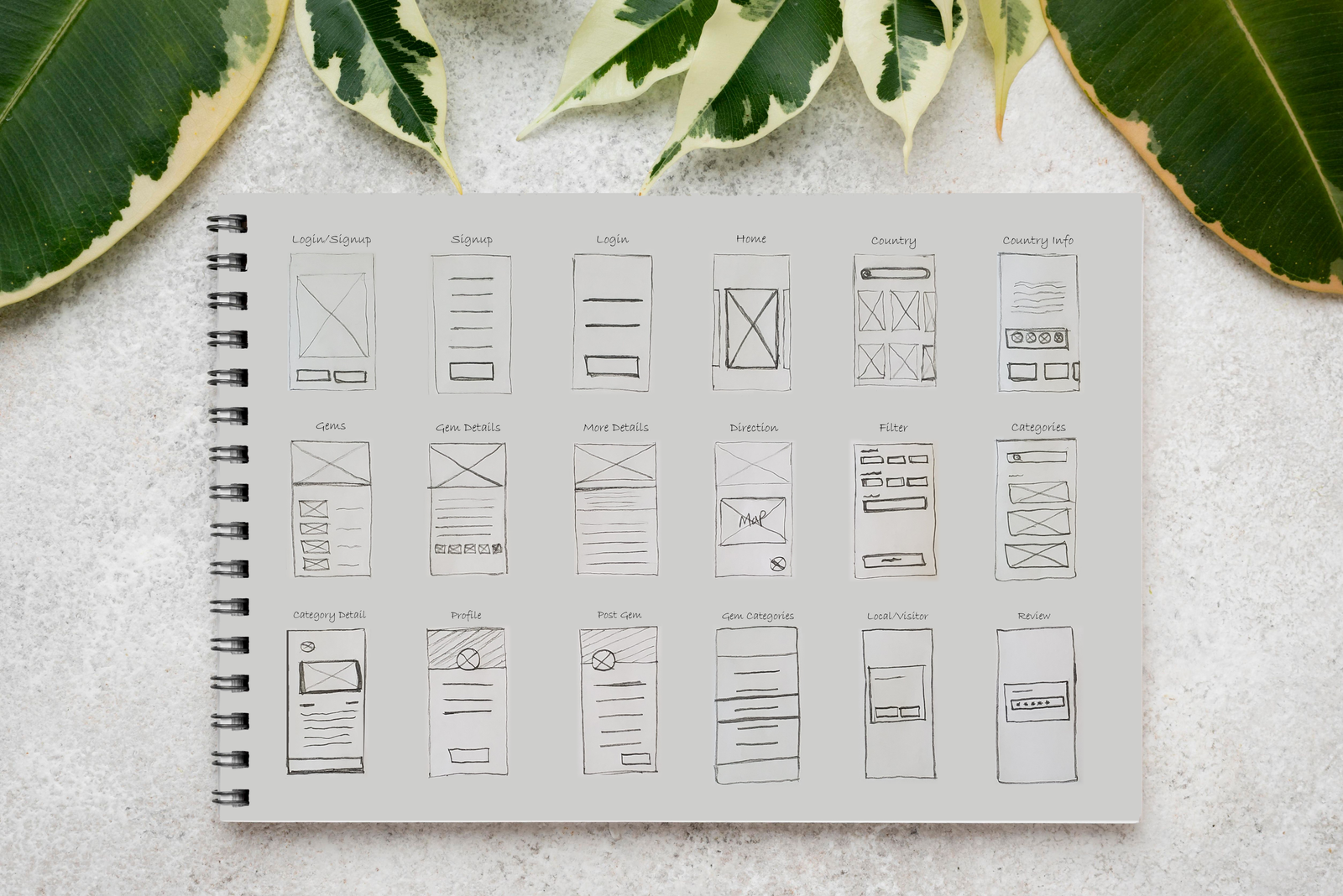
Sample Sketches & Wireframes

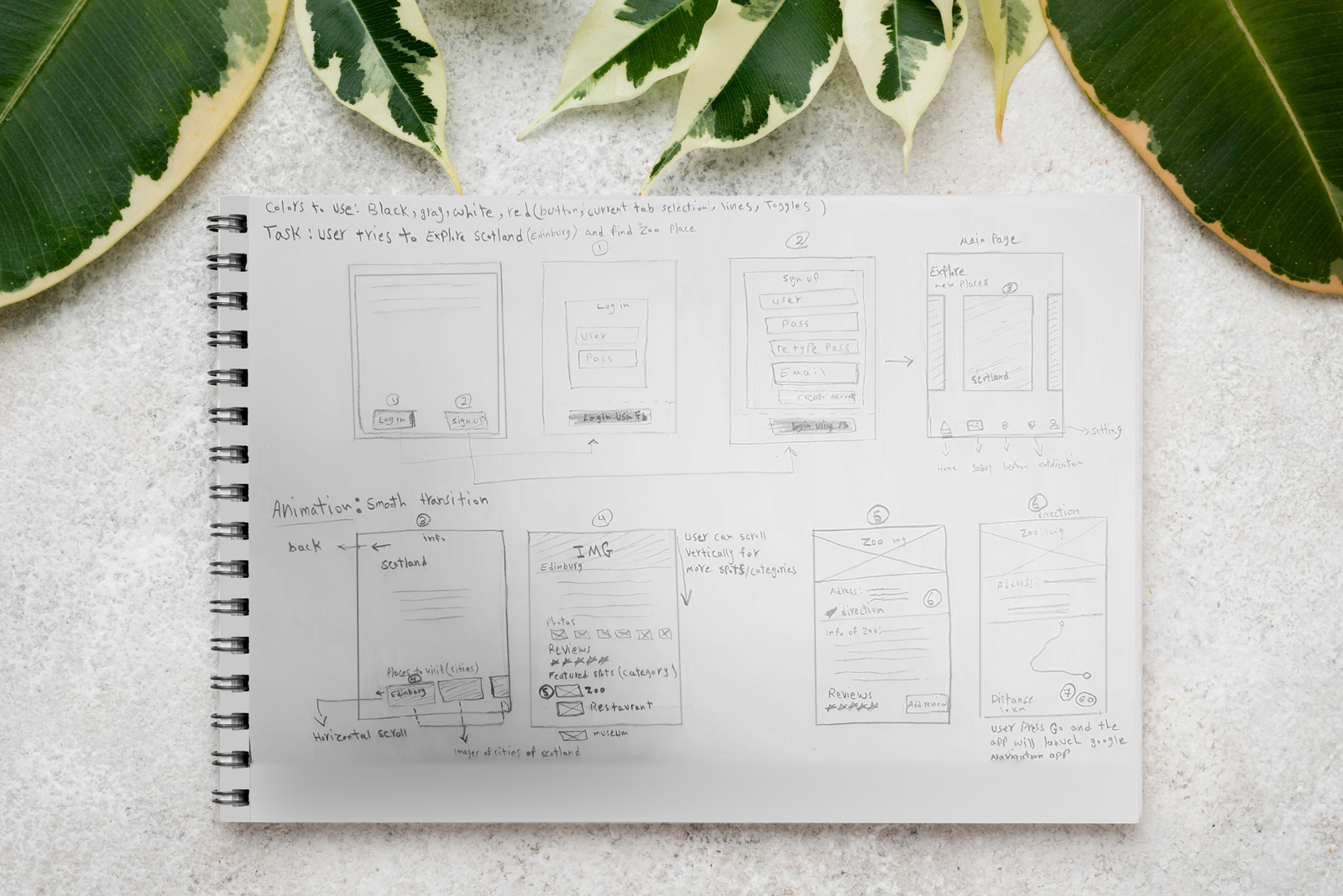
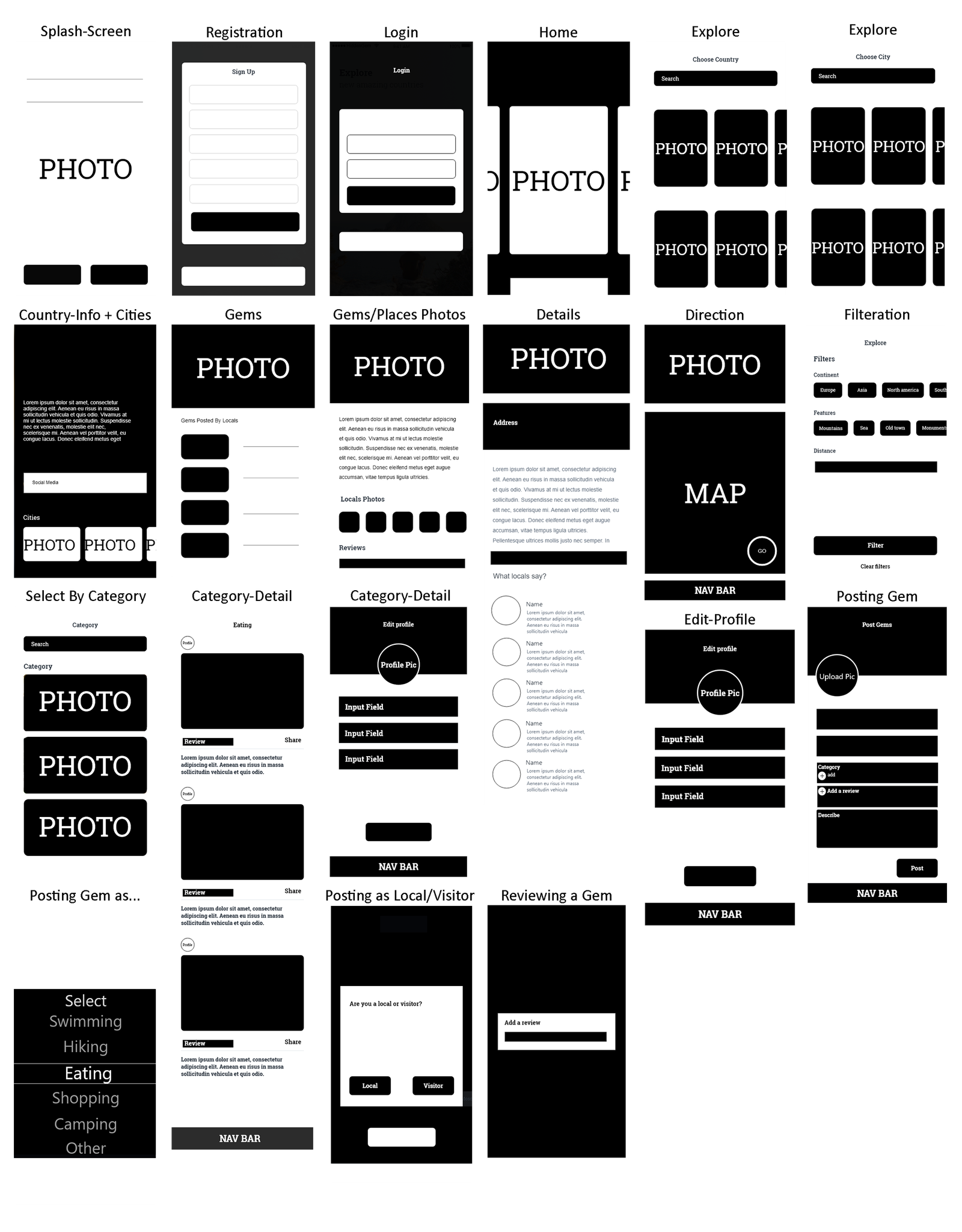
Sketches allowed quick iteration on ideas and various layouts. Low-fidelity wireframes established the appโ€™s layout and structure, ensuring logical user flow before moving to high-fidelity designs.

Sketches More Sketches
Wireframes

TESTING

Usability Testing & Styleguide

Preparation

Created a usability testing plan defining objectives, participants, tasks, and evaluation criteria.

Testing & Methods

  • โ€ข Conducted 5 usability sessions (in-person and remote) using A/B testing.
  • โ€ข Recorded observations to generate transcripts and identify patterns.

Key Feedback & Iterations

โœ… Liked: Place categorization, reviews & images.

โš ๏ธ Requests: Easier navigation, more filtering, better visibility.

Improvements:

  • Simplified navigation bar
  • Enhanced multi-criteria filtering
  • Optimized layout for content visibility

Outcome

Refined app features to significantly improve user experience, accessibility, and overall engagement across all tested user flows.

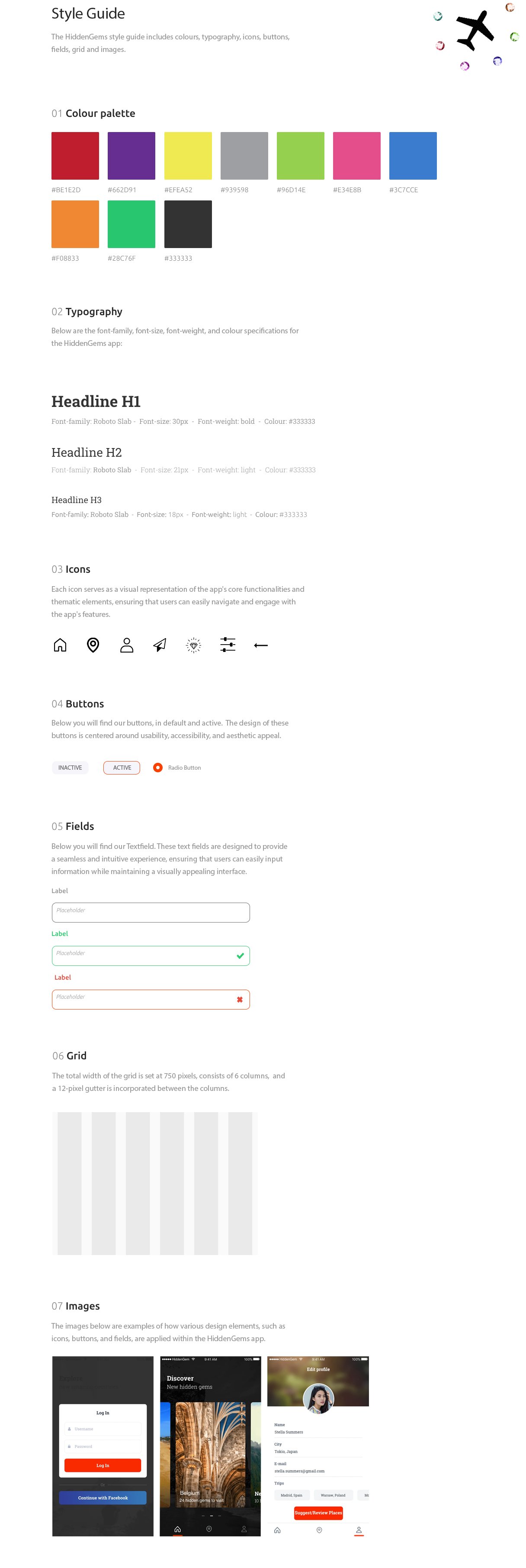
Styleguide: This document synthesizes the brandโ€™s core values, integrating the logo, color palette, typography, and imagery, serving as a foundational reference.

Styleguide

GALLERY

Final Design

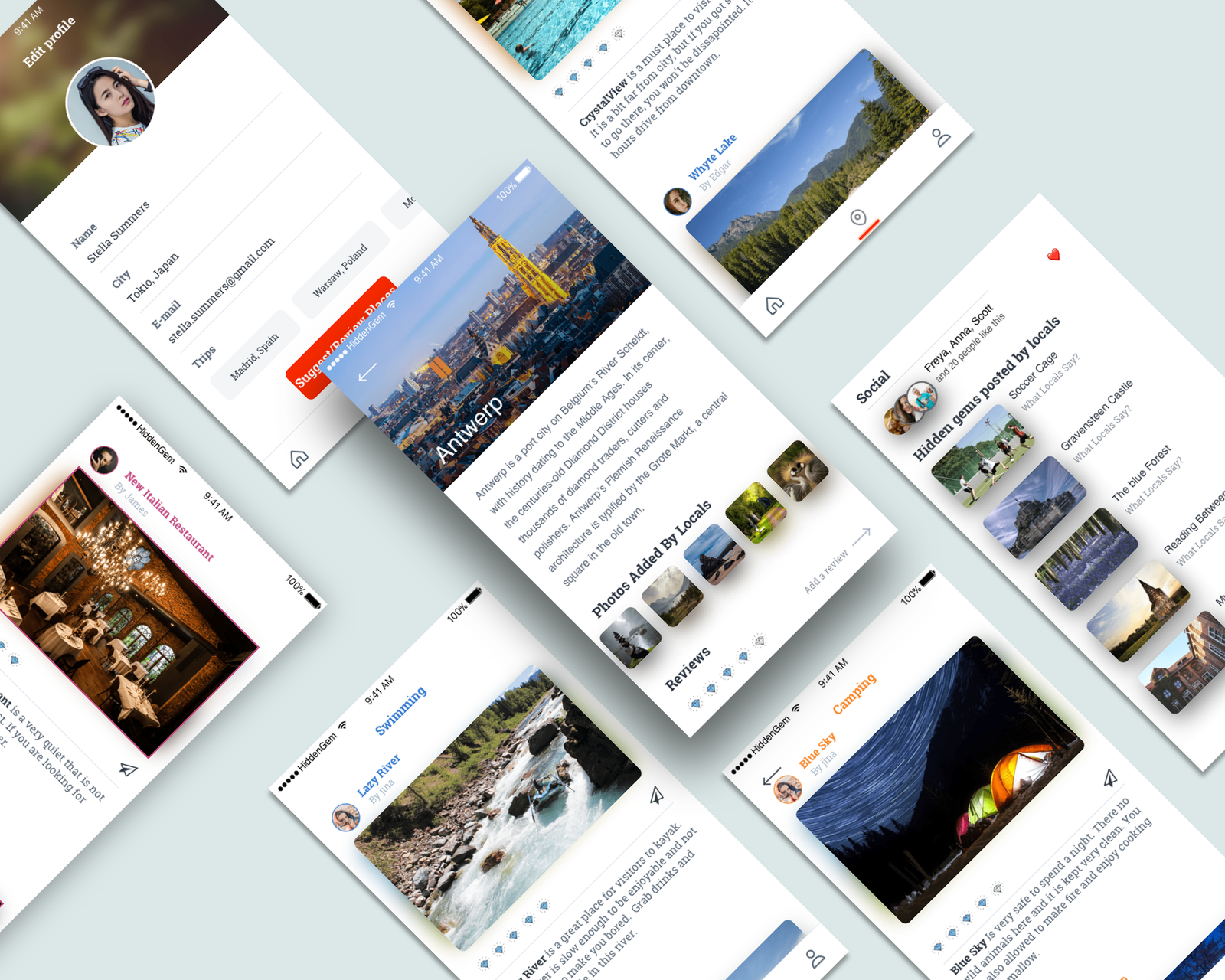
The final design phase focused on creating a visually appealing and user-friendly interface.

I chose a vibrant color palette to reflect the excitement of travel, paired with clean typography to enhance readability. Icons and imagery were carefully selected to evoke a sense of adventure and discovery. The design was built to be responsive, ensuring a consistent experience across all devices.

Hidden Gems App Showcase
Splash Screen
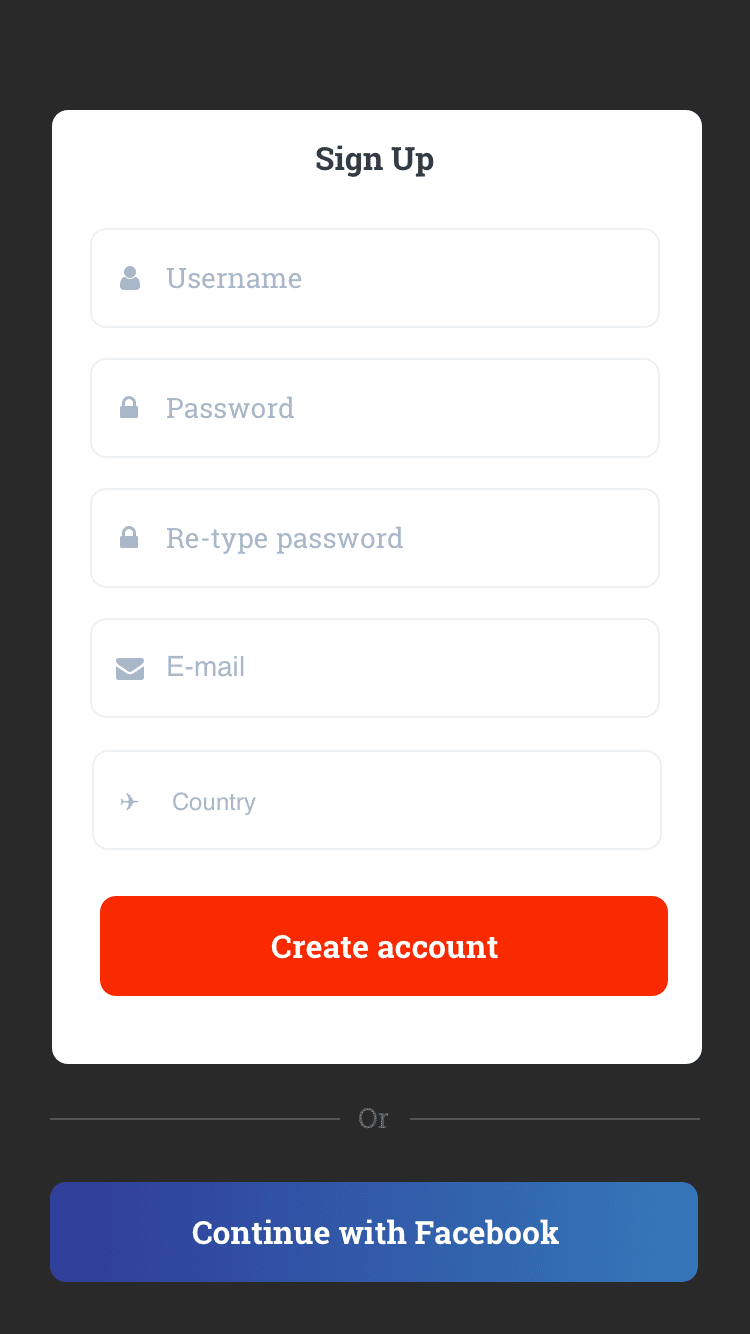
Registration

Splash Screen / Registration Page

The Splash Screen and Registration Page for HiddenGem provide a welcoming introduction to the app, guiding new users seamlessly through account creation or login to personalize their travel experience from the start.

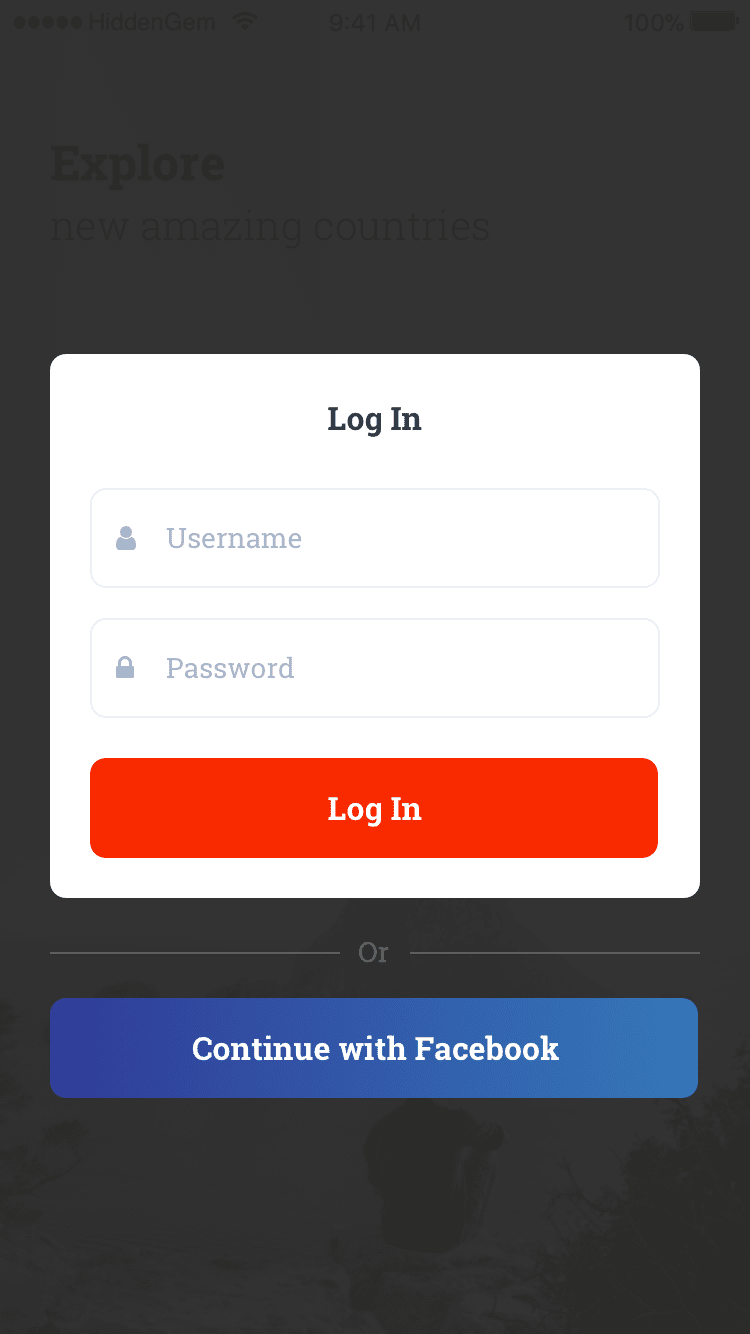
Login
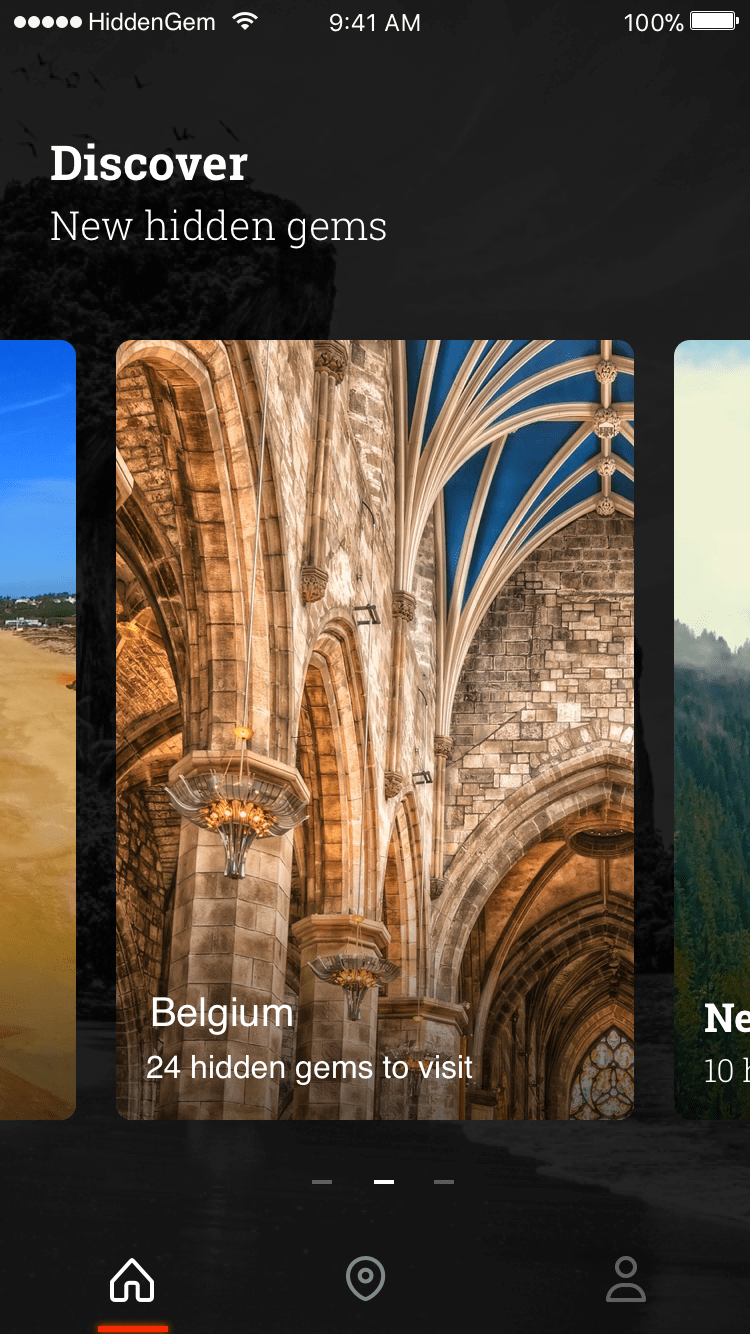
Main

Log-in Page / Main Page

The Log-in Page allows returning users to quickly access their personalized travel experiences, while the Main Page serves as the central hub where users can explore curated hidden gems, search for new locations, and manage their favorite spots.

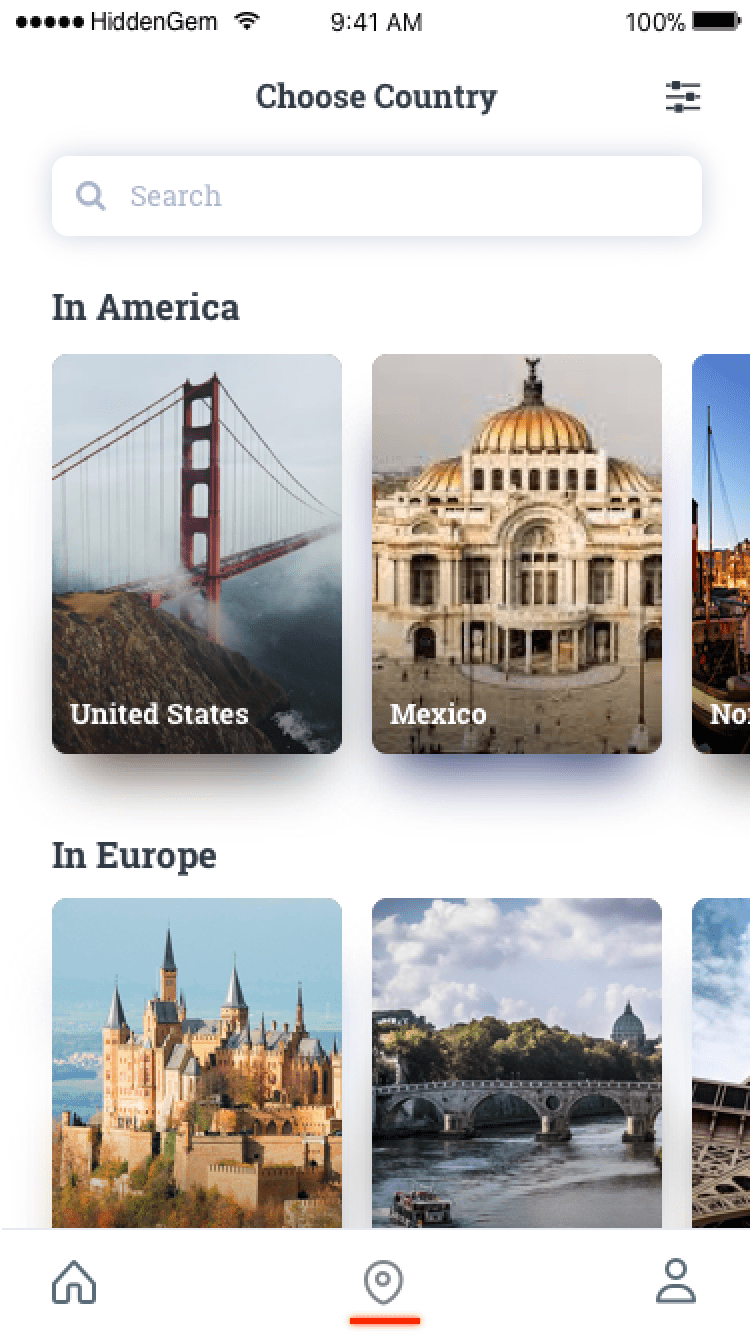
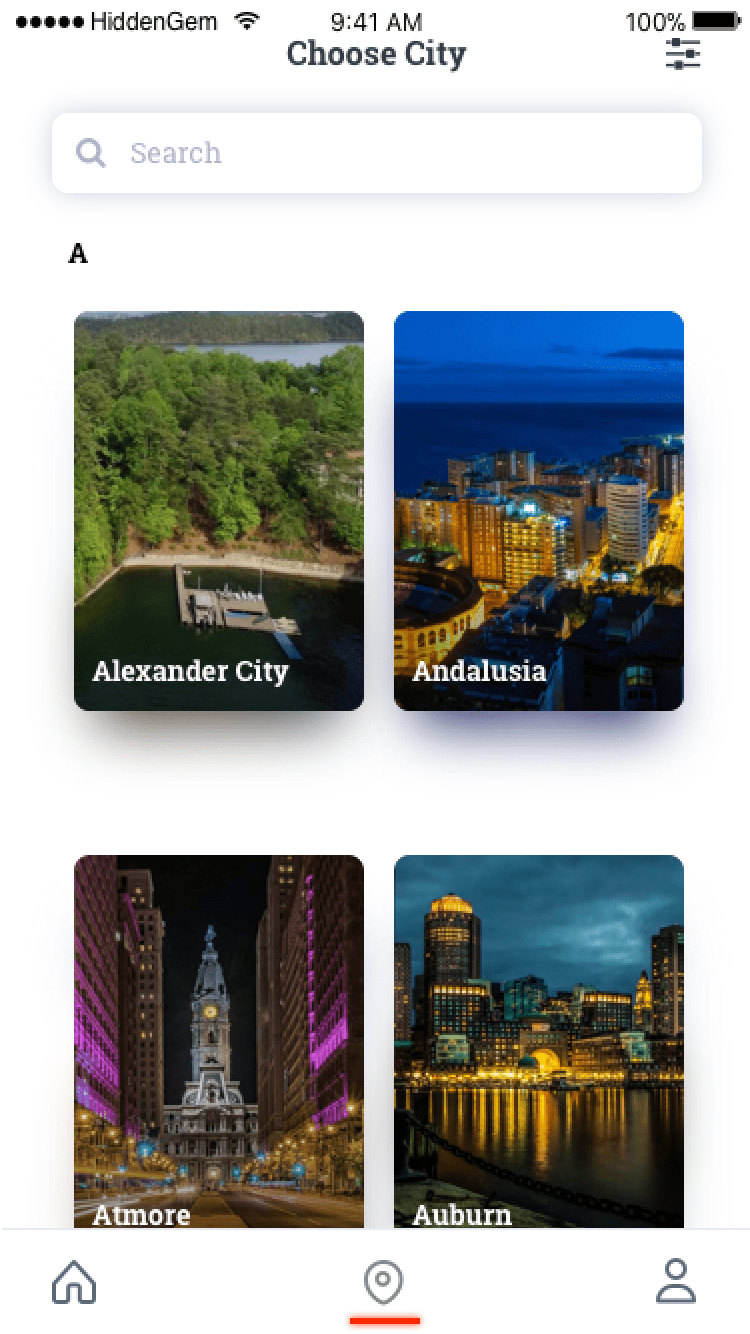
Choose Country
Choose City

Choose Country / Choose City

The Choose Country and Choose City pages allow users to customize their travel experience by selecting specific regions, narrowing down their search to discover hidden gems tailored to their chosen destination.

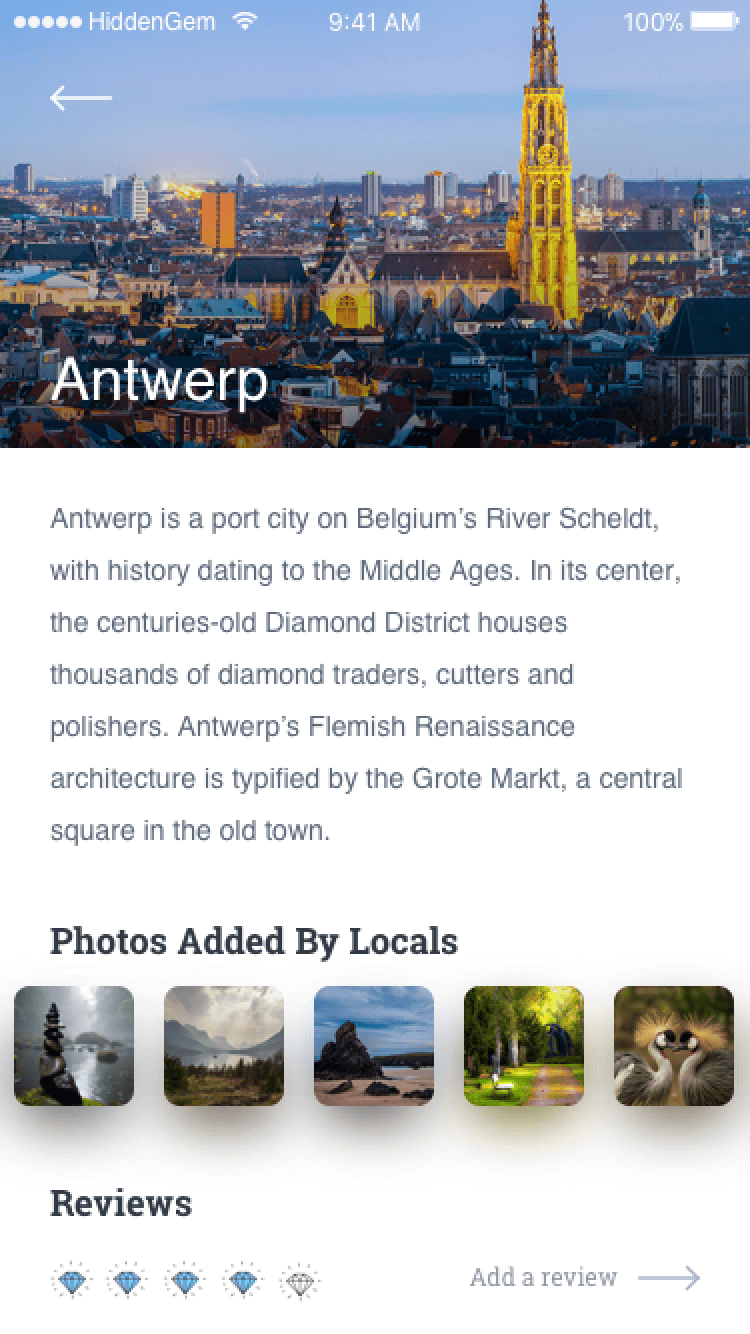
Country Page
City Page

Country Page / City Page

The Country Page and City Page provide users with curated lists of hidden gems and unique experiences within the selected region, offering personalized recommendations that highlight lesser-known attractions and off-the-beaten-path locations.

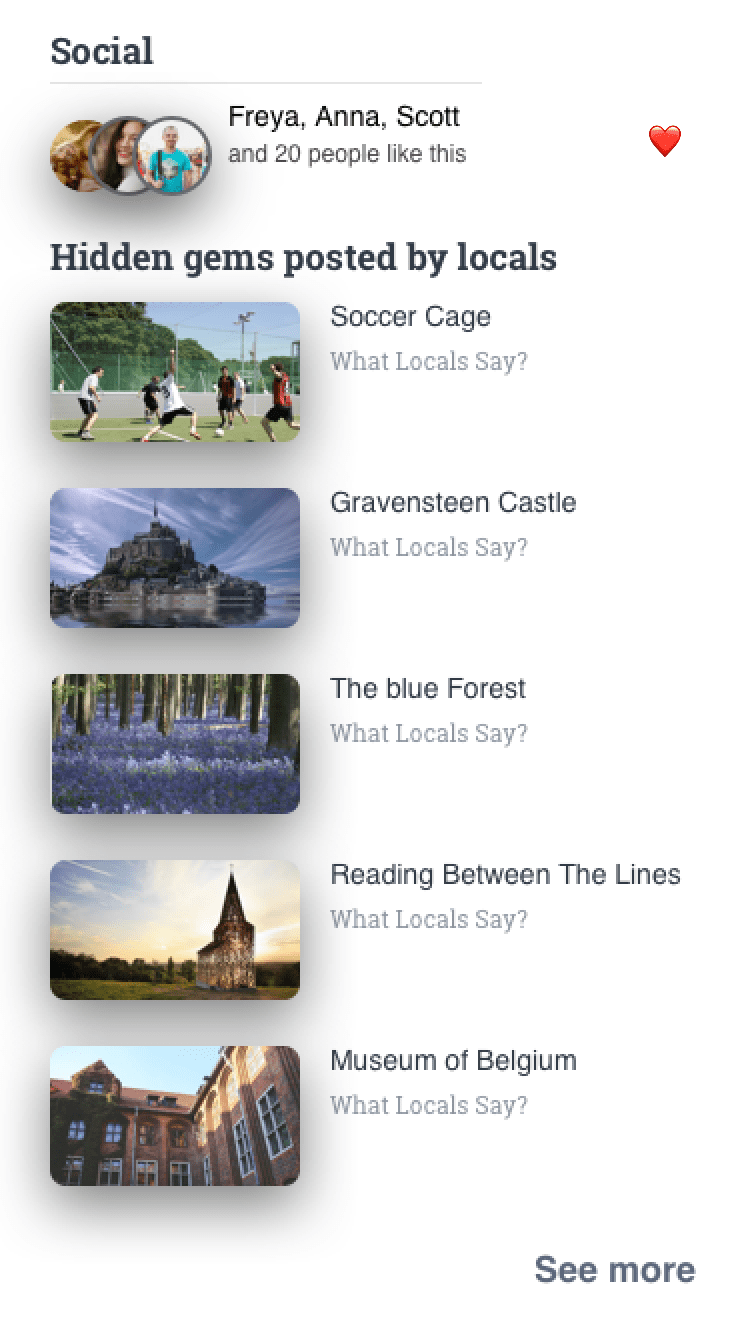
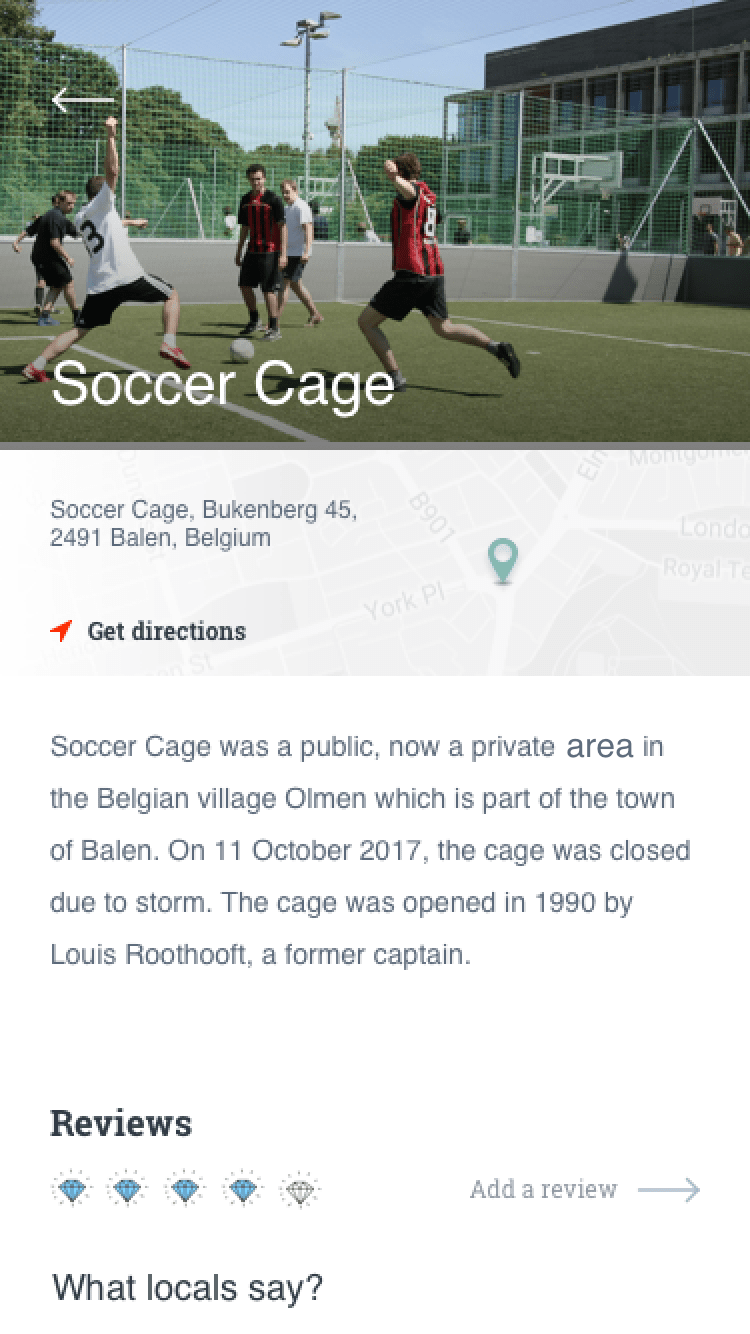
Recommended Places
Selected Place

Recommended Places / Selected Place

The Recommended Places section offers users a list of personalized hidden gems based on their preferences and location, while the Selected Place page provides detailed information about a specific spot, including descriptions, photos, and user reviews, allowing for an immersive preview of the destination.

Locals Review
Add Review

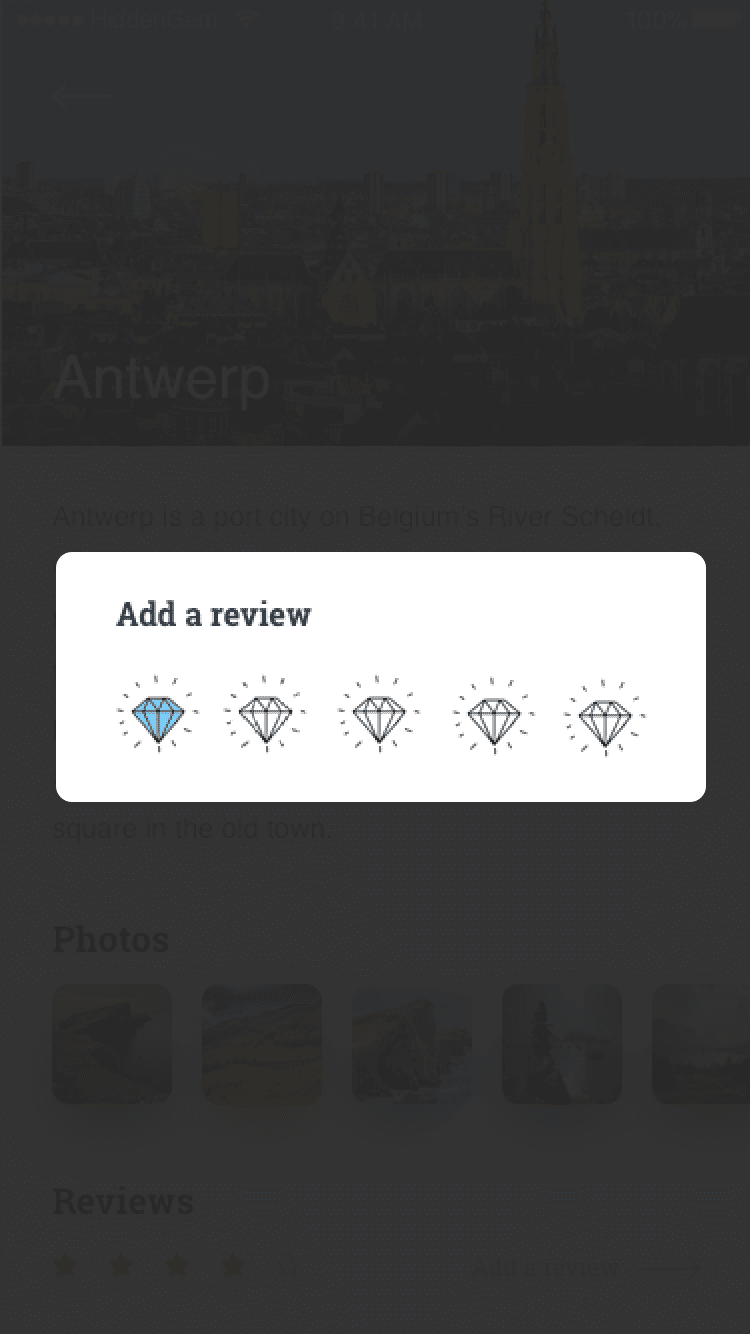
Locals' Review / Add Review (as a local)

The Locals' Review section showcases insights and feedback from local users who have experienced hidden gems firsthand, offering authentic perspectives, while the Add Review feature allows locals to contribute their own reviews, sharing their knowledge and helping others discover unique spots.

All Categories
Places To Eat

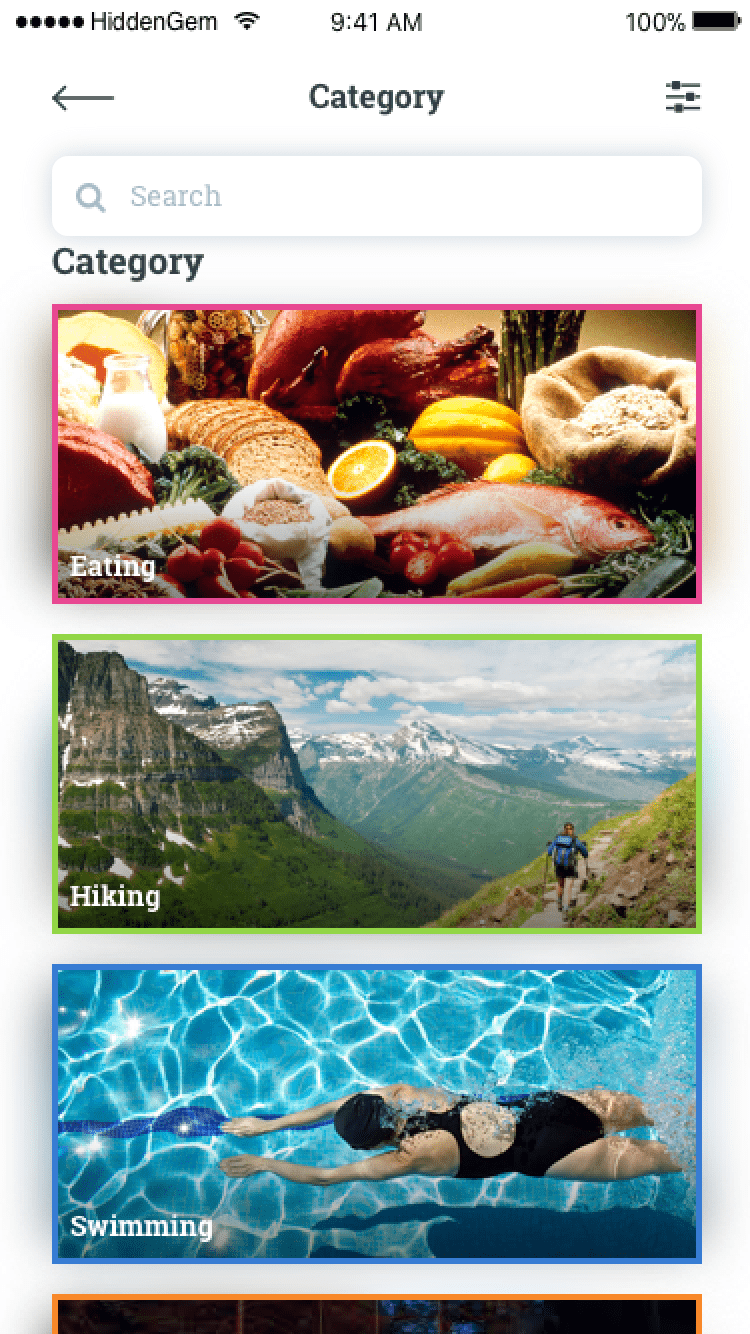
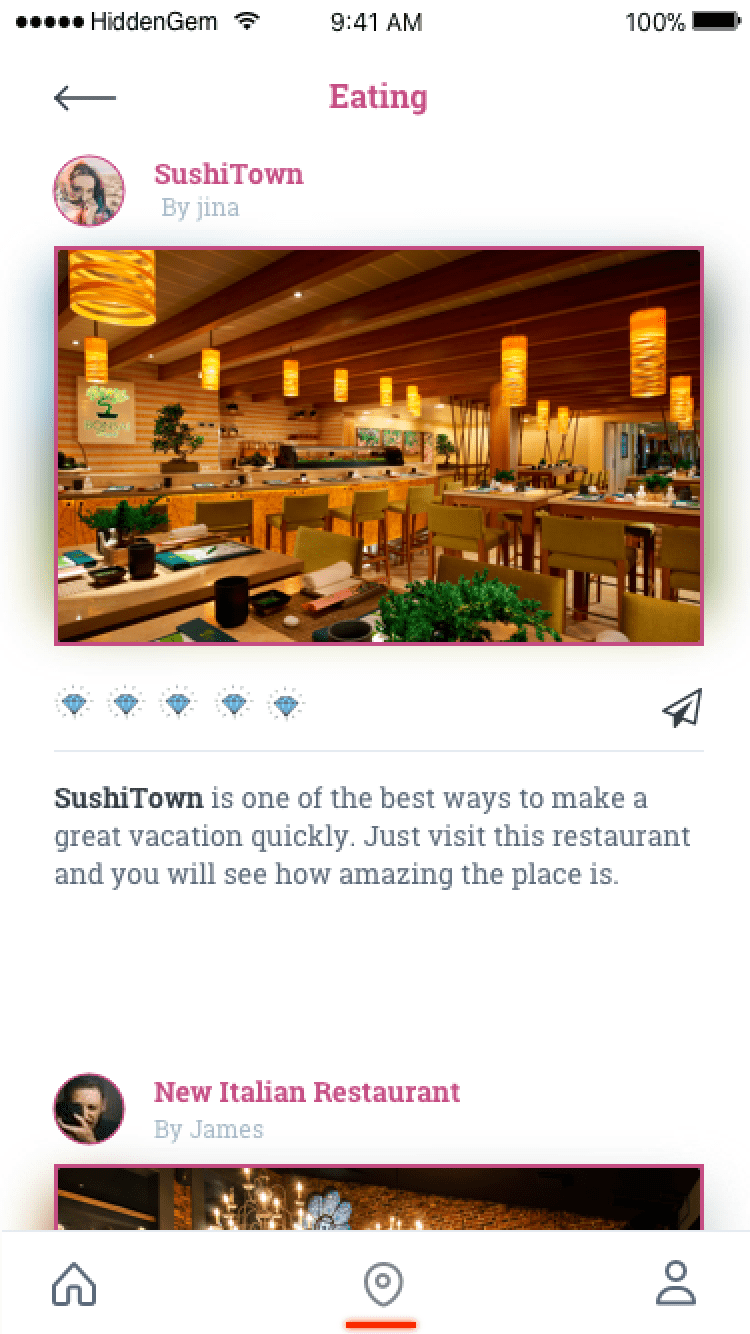
All Categories / Places To Eat

The All Categories section allows users to explore a wide variety of hidden gems, sorted by different categories such as attractions, nature spots, or cultural experiences, while the Places to Eat section focuses specifically on showcasing lesser-known local dining options, highlighting unique restaurants and food experiences.

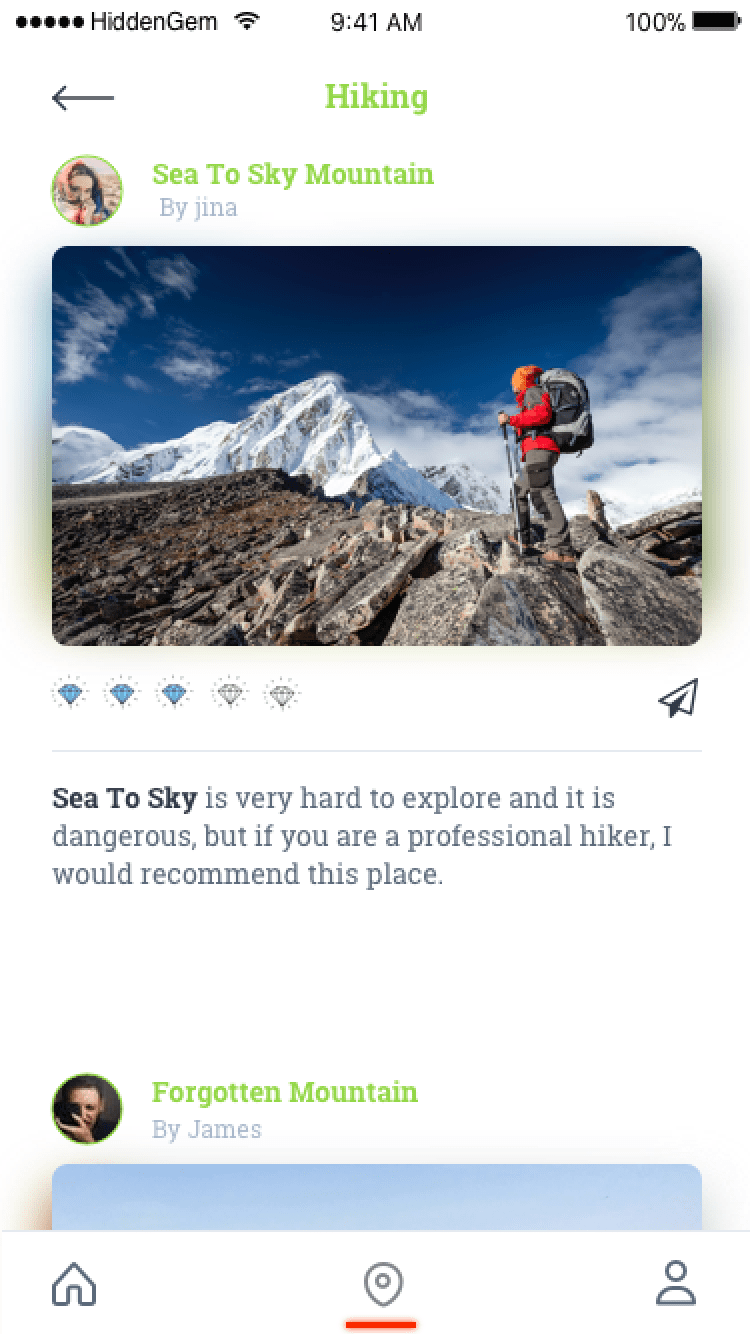
Since our logo has colorful gems, we tried to use google travel approach for categories. Each category has its unique theme color similar to gem colors. The color of contents and elements in category's page also matches with the theme color.

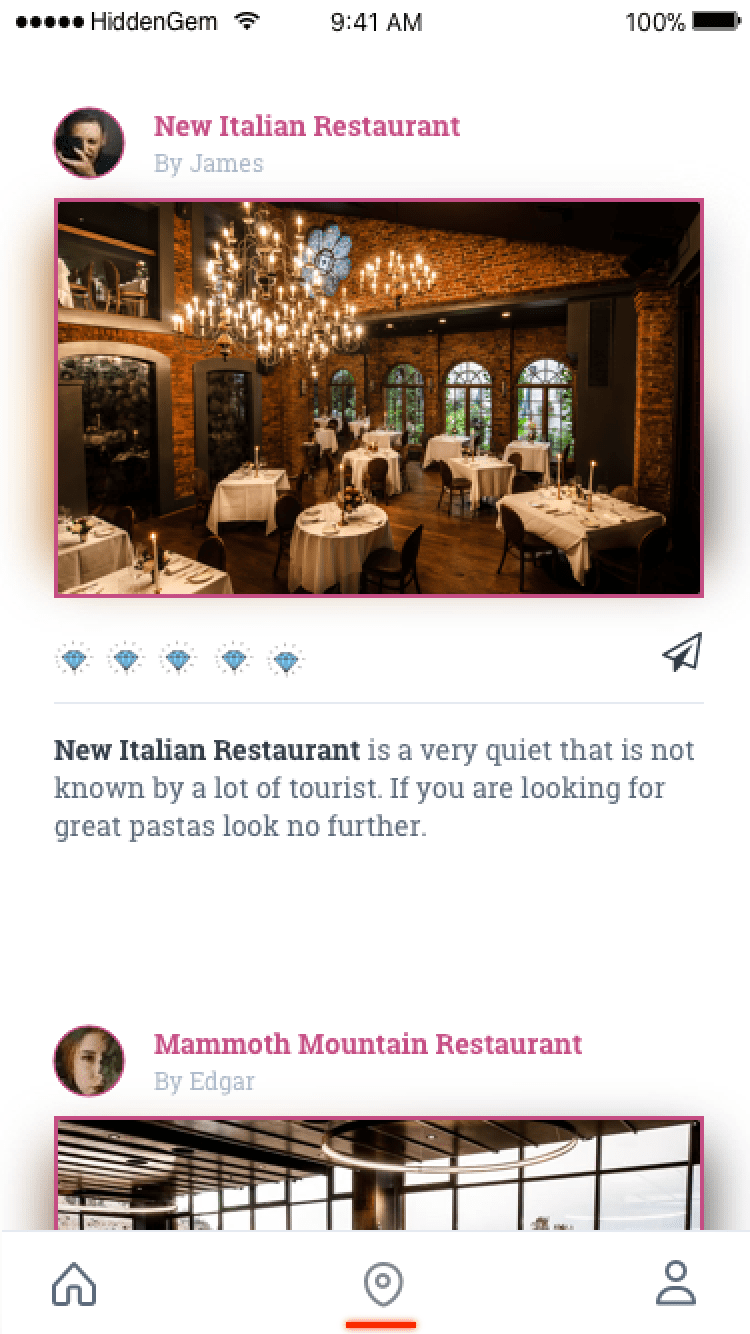
Places To Eat (Cont)
Places To Hike

Places To Eat(Cont) / Places To Hike

This section continues to feature hidden dining spots, offering more unique, off-the-beaten-path culinary experiences, while the Hike section presents users with recommendations for scenic, lesser-known hiking trails and outdoor adventures in their chosen location.

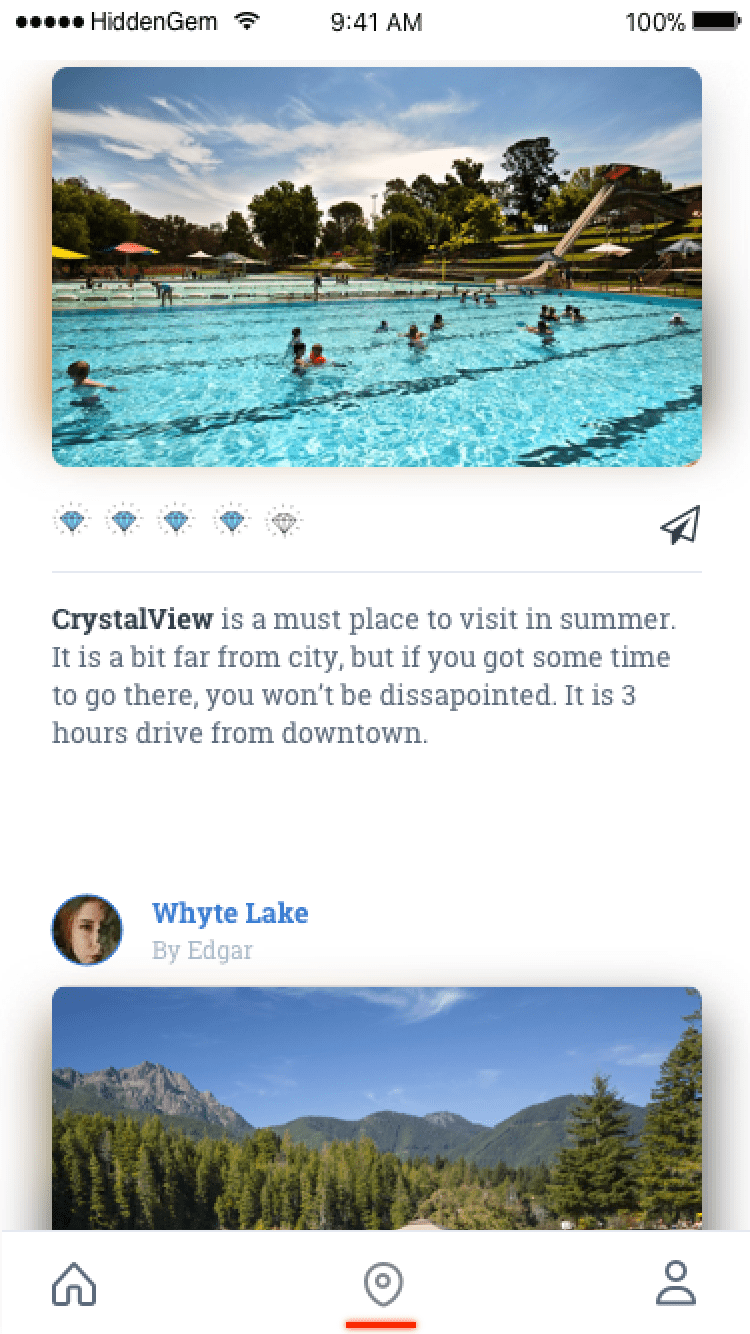
Places To Swim
Places To Swim cont

Places To Swim / Places To Swim(Cont)

The Places to Swim section highlights hidden swimming spots, such as secluded beaches and tranquil lakes, offering users refreshing getaway options.

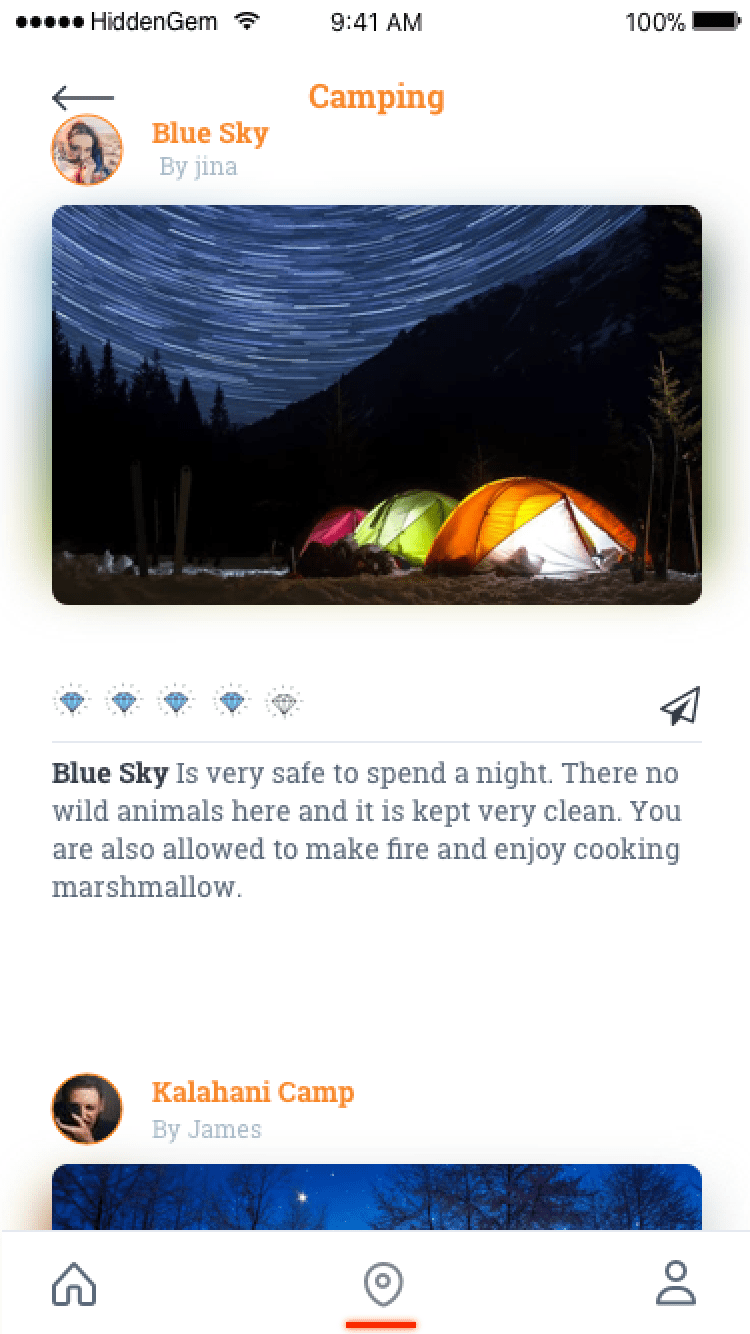
Places To Camp
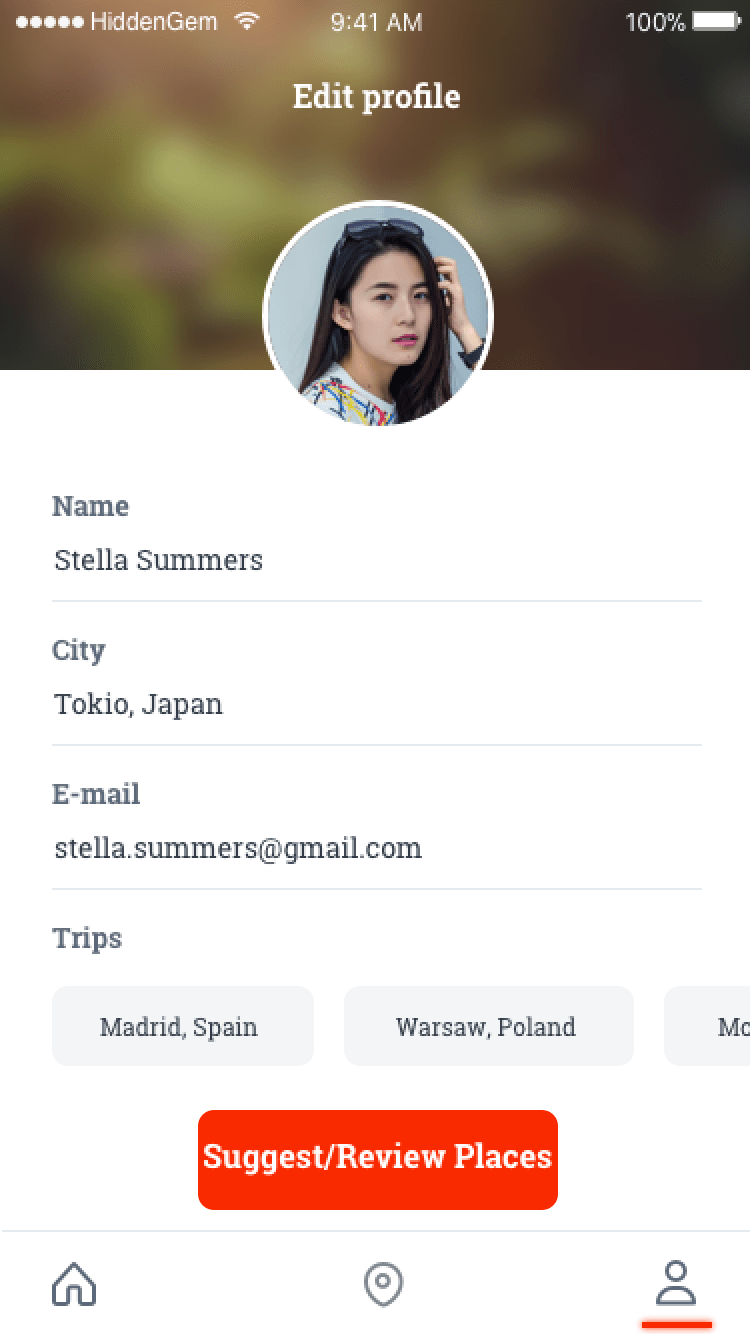
User's Profile

Places To Camp / User's Profile

The Places to Camp section features curated listings of unique camping sites, allowing users to discover serene locations for outdoor adventures, while the User's Profile page enables individuals to manage their account information, track their favorite hidden gems, and customize their travel preferences for a more personalized experience.

Local vs Visitor
Selecting Category

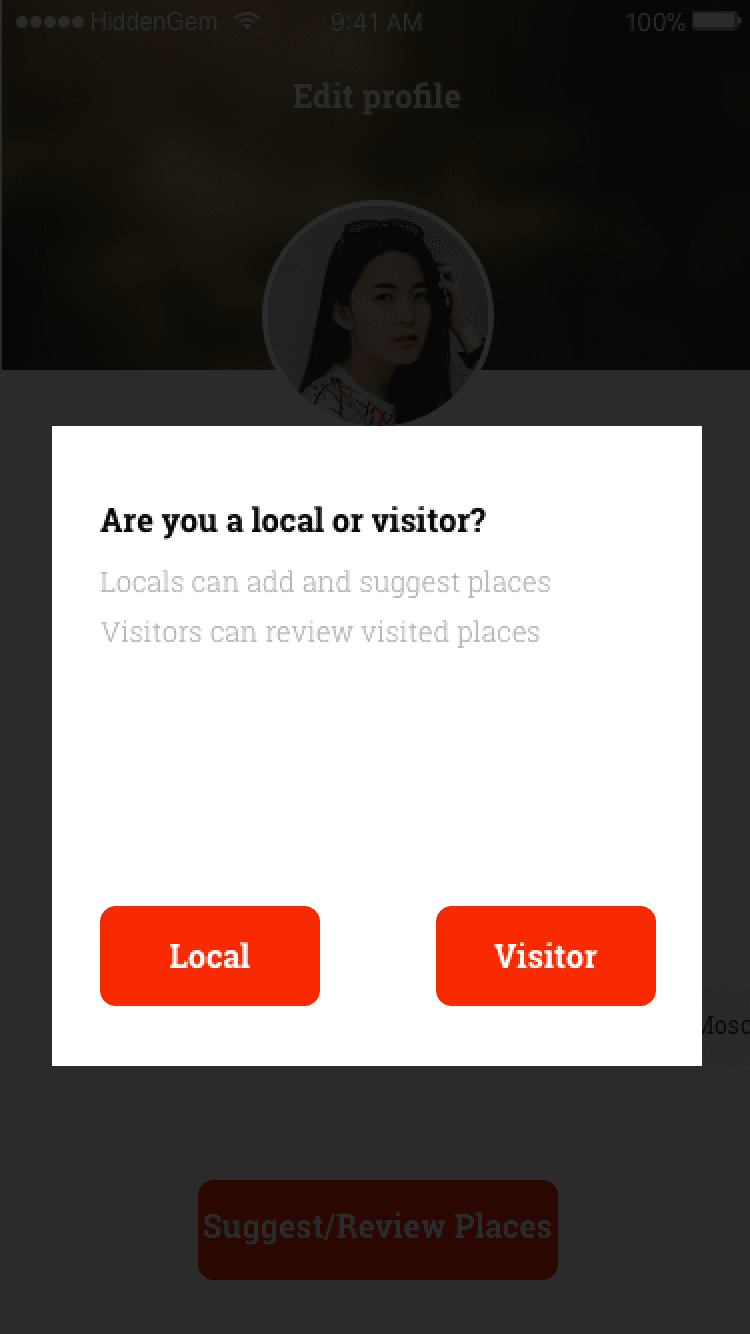
Local VS Visitor Option / Selecting Category to Suggest Or Review Places

The Local vs. Visitor Option allows users to choose their perspective, tailoring content and suggestions based on whether they are locals sharing insights or visitors seeking recommendations, while the Selecting Category to Suggest or Review Places feature enables users to categorize their feedback or suggestions, streamlining the process of sharing experiences and enhancing the relevance of recommendations.

RENDERS

Renders & Prototyping

Using Sketch and Principle, I developed an interactive prototype that allowed stakeholders to experience the appโ€™s functionality firsthand.

Final Render โœจ


REFLECTION

Reflection & Next Steps

The HiddenGems project was a valuable experience in collaborative and iterative design. From research to prototyping, our goal was to help users easily discover lesser-known places around the world.

Working closely with developers, designers, and UX researchers, we incorporated continuous user feedback to ensure the product was both user-centered and technically feasible.

The final design helps travelers avoid overcrowded tourist spots by highlighting local insights and hidden destinations, creating more personalized and meaningful travel experiences.

Next Steps & Evolution

Implement AI-based recommendations tailored to individual travel preferences and past interactions for a truly personalized experience.

Gamification: Introduce community badges, leaderboards, and rewards to empower frequent contributors and explorers.

Partner Integrations: Connect with local businesses for exclusive deals and verified hidden gem listings to support local economies.

โ† Back to Portfolio